



Product
Everything the LogicLens Chrome Extension Can Do Now
A tour of the LogicLens Chrome extension: Source Check, article change alerts, correction requests, False Polarization Warnings, Coverage, YouTube checks, Danger averted! cards, source bias profiles and your Info Diet.
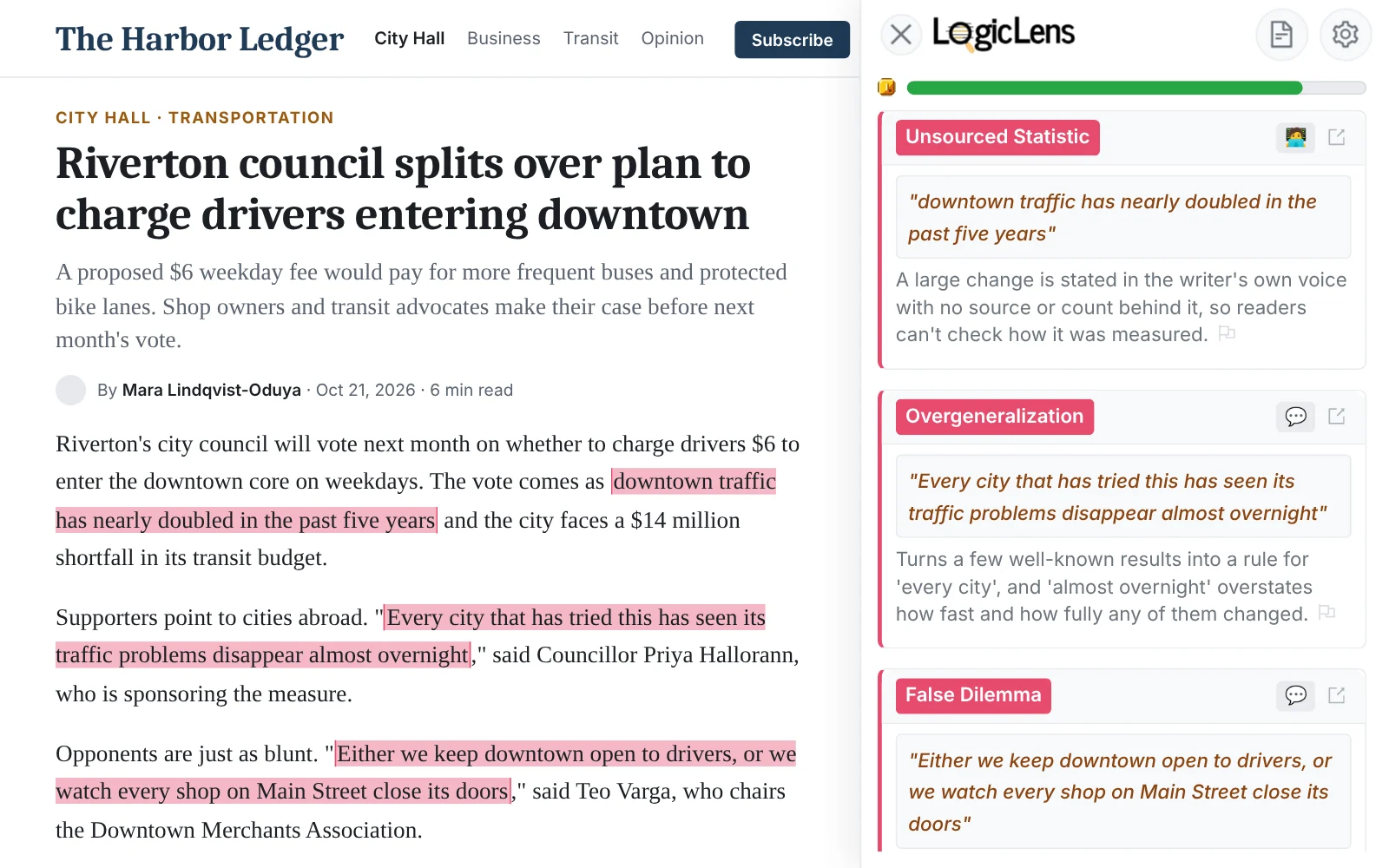
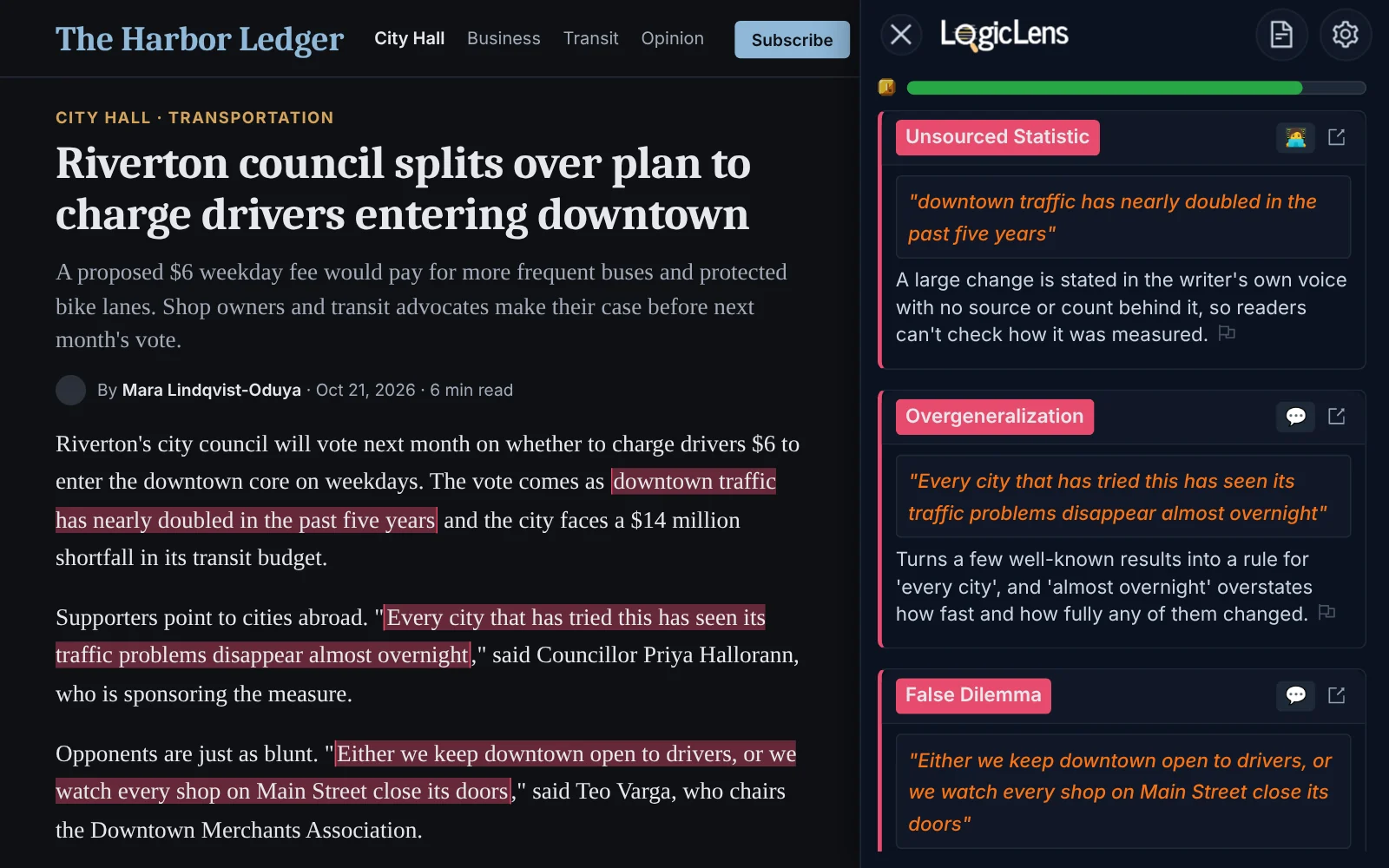
LogicLens began as a reasoning checker: open an article, press Analyze the page, and see where the argument leans on loaded language, false choices or weak leaps. That is still the heart of it. But the extension has grown a lot of other tools since, and many readers have never opened half of them.
Here is a tour of what the extension does today, in roughly the order you will run into it.
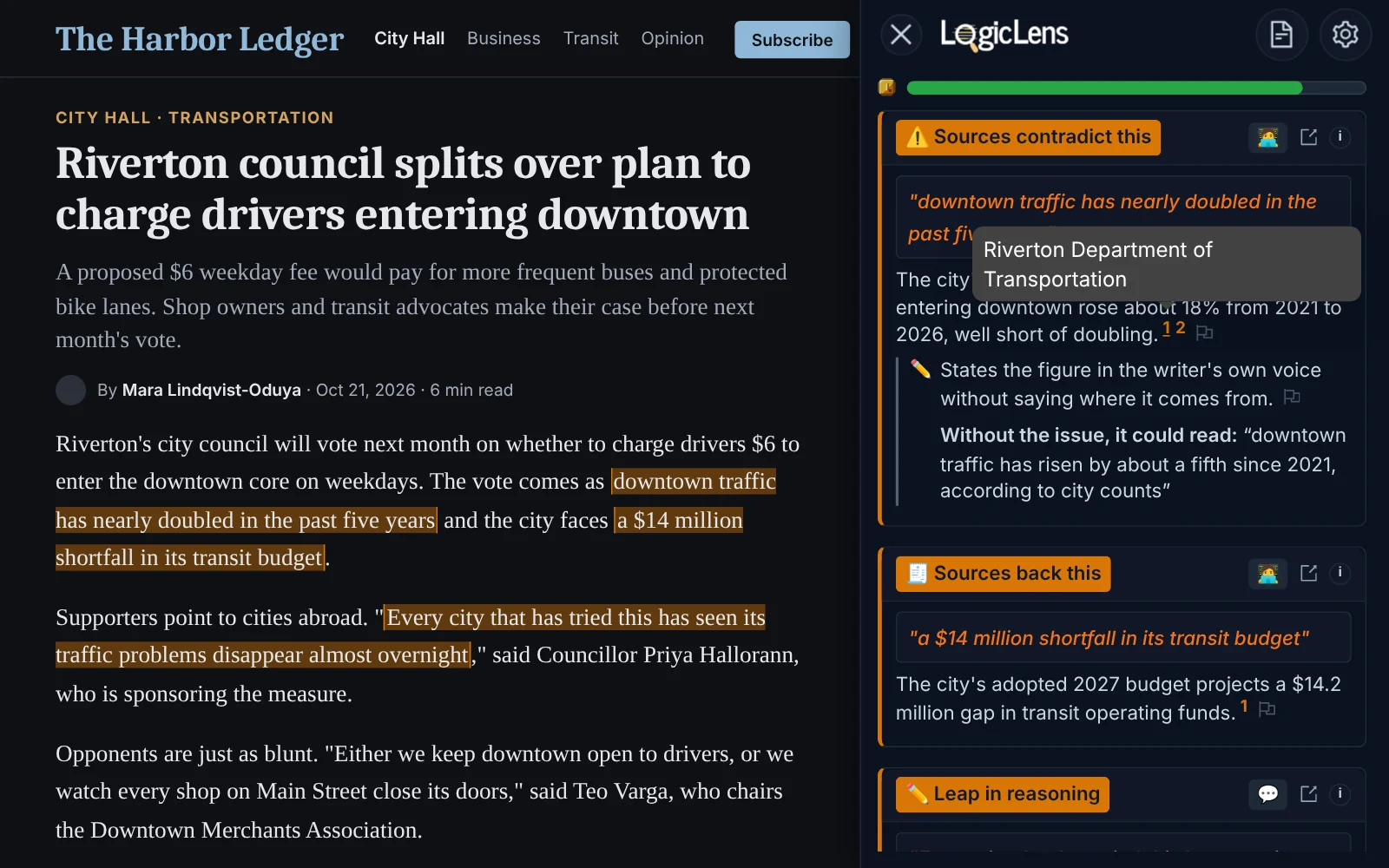
Source Check: Does the Link Say What the Article Claims?
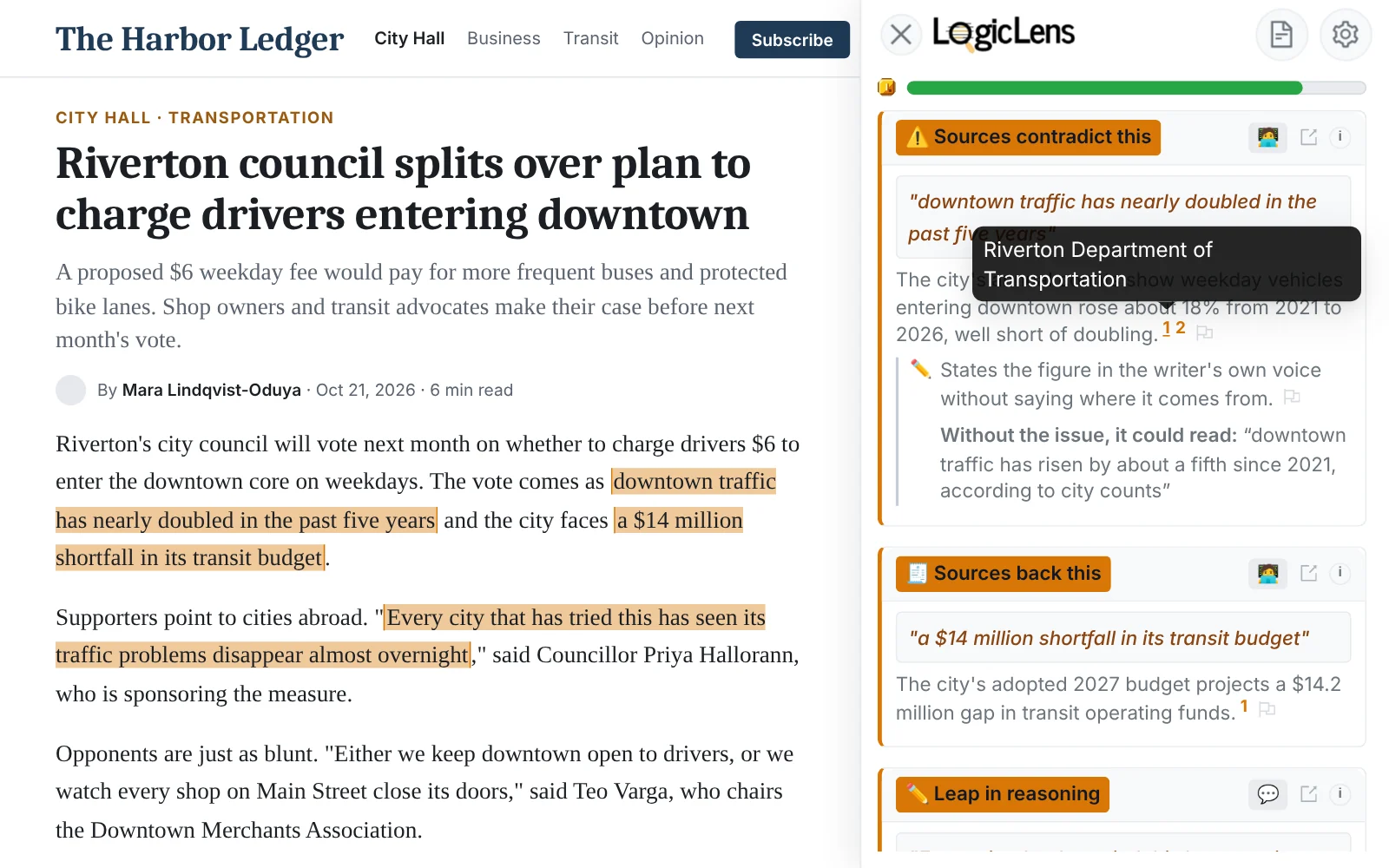
Articles cite sources all the time, and readers almost never click through. Source Check does the clicking for you. Right-click any link and choose "Check this source with LogicLens", or press the "Check the source" button LogicLens adds beside citations. It reads the linked page and compares it with the claim the article attached to it.
- ✅ Supported, 🟡 Partly supported, or ⚠️ Misrepresents.
- ↪️ Doesn't address this, or ❌ Unsupported.
- 🤷 Couldn't assess, or ℹ️ Background reference when the link is context rather than evidence.
Where it can, the card links straight to the quoted passage in the source, so you can read the exact lines yourself. Source Check needs a free account and uses your credits.
Article Change Detection: Catch the Quiet Edit
News articles change after they are published. Sometimes that is a welcome correction. Sometimes a headline gets sharper, a paragraph disappears, or the framing shifts, and nobody says so. When you are signed in, LogicLens notices when a news or blog article you open has changed from a version seen before, and adds a small badge to the page: "Headline changed", "Subtitle changed", "Body changed" or "Article updated".
Click the badge to see the change word by word, how confident LogicLens is that it is a real edit, and how many versions have been seen. Some sites test two headlines at once; when that is the likely explanation, LogicLens labels it "Headline variant seen" rather than calling it an edit.
Send a Correction Request to the Publisher
Spotting a problem is one thing. Getting it fixed is another. After LogicLens has checked an article and found at least one concern, open "Report a problem" and choose "Draft a correction request to the publisher". Pick the kind of issue (a factual or unsupported claim, a misleading headline, missing context, a sourcing concern, biased wording, or something else), choose which findings to include, and LogicLens drafts a polite, specific letter.
You stay in control of sending it. Open it as an email draft, use the outlet's own corrections form, open its official corrections page, or copy the text.
False Polarization Warnings: You May Agree More Than You Think
A lot of coverage makes issues look more divided than the public actually is. When an article touches a topic where polling shows broad agreement, LogicLens adds a 📢 "False Polarization Warning" card. It quotes the sentence from the page, shows the poll figure, and links to the poll. Tap the question mark to see the exact question, the sample size and the margin of error.
It is one poll, not a claim of universal consensus, and the card says so. It never changes the article's score, and you can switch it off in Settings. For now these cards appear on news articles, not on social posts or videos.
😌 Danger Averted! Cards for Loaded Words
Some arguments go nowhere because the two sides are using the same word to mean different things. When an article leans on a loaded term, LogicLens may show a "Danger averted!" card with a definition that people who usually disagree about the term should still be able to accept, plus the sources behind it. Like the polarization cards, it never affects the score.
Coverage: How Other Outlets Covered the Same Story
On a news article, press "Compare Coverage" to see how other outlets reported the same story. Results are grouped by story, and each outlet carries a lean label from far left to far right, its country, and labels for satire or state-affiliated media. The outlet that used the most neutral language gets a crown. Coverage needs a free account and has a daily limit.
YouTube Videos and Livestreams
LogicLens works on YouTube too. Press "Check this video" in the player, and LogicLens follows along as you watch, reading the captions and placing cards on the player as claims and reasoning moves come up. Each card has a "Jump to" button that takes you back to the moment it is about. On a livestream, it keeps up with the captions as they arrive.
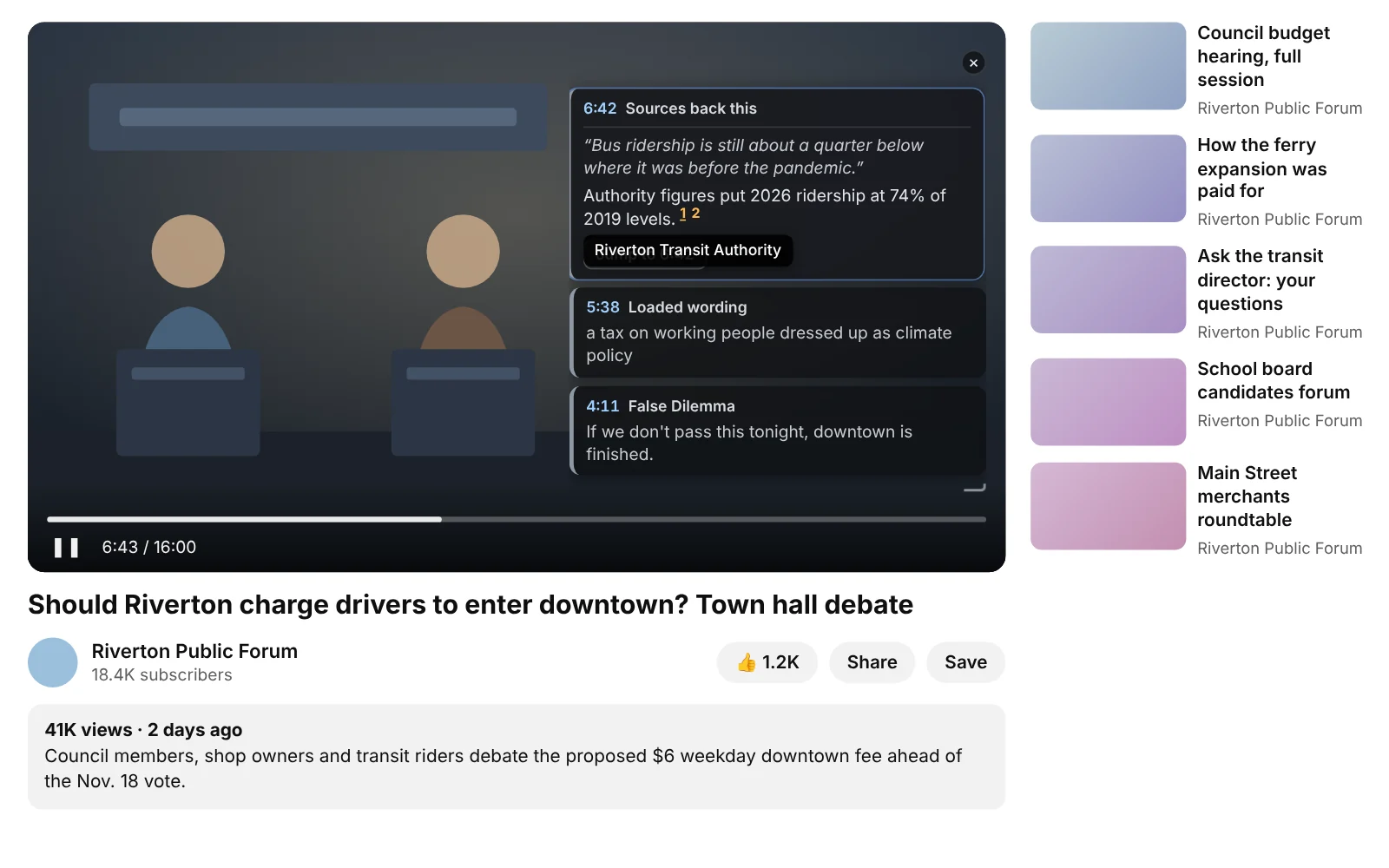
On YouTube, nothing is checked until you press the button. Free plans can check a set number of moments in each video; paid plans have no per-video cap, and checks use credits like everything else.
Bias and Ownership: Who Is Telling You This?
Above each analysis, LogicLens shows a slim strip naming the outlet (or, on YouTube, the channel) with its estimated lean and how confident that estimate is. Click "Profile" to open its full Source Profile on our website.
Source Profiles go well beyond what fits in a sidebar: the outlet's bias ratings, who owns it, the people associated with it, and how much of your own reading comes from it. The catalog covers tens of thousands of outlets, and you can search by name, website, owner, country or person, or filter by country, language and ownership. A free account is all you need.
Your Info Diet: Nutrition Label, Source Map and Food Guides
The pages you check add up to a picture of what you read. On the website, My Info Diet turns that into a Nutrition Facts label for the last 30 days, a map of your food sources showing which outlets you lean on most, and Food Guides, which compare your topic mix with what a balanced diet of significant news would look like. Think of it as a year-in-review for your reading, available any time.
And the Basics Still Matter
- Reasoning checks highlight logical errors, rhetoric and loaded language right on the page.
- Fact checks show which claims sources back or contradict, with links. Choose Reasoning or Fact check under Settings.
- Buttons in your feeds on X, Reddit, Facebook, LinkedIn, Threads, Bluesky, Substack Notes and more, including posts that are mostly a photo.
- PDFs work too.
- Share a single finding, or all of them at once.
FAQ
Do I need an account to use these features?
Source Check, Article Change Detection, Coverage and Source Profiles need a free LogicLens account.
Do the polarization and Danger averted! cards change an article's score?
No. They add context and never affect the score.
Does LogicLens send correction requests for me?
No. It drafts the request; you review it and send it yourself by email, through the outlet's form, or by copying the text.